When I first tried to track my monthly internet leisure costs, I discovered that an average user spends about £30 a month on streaming, games, and social media. That number can grow quickly if you’re not careful. The trick is to set clear limits and stick to them.
Start With a Concrete Spending Cap
Choose a realistic ceiling for all online entertainment. For me, that was £35 a month. I logged every purchase and subscription in a simple spreadsheet. At the end of the month I saw that my streaming services alone cost £18, leaving £17 for games, ads, and accidental in‑app buys. If you hit the cap, stop. No more impulse clicks.
Track and Categorise Every Dollar
Separate your expenses into categories: streaming, gaming, social media, and miscellaneous. In my spreadsheet, I used conditional formatting to flag any entry over £10. This visual cue made it obvious when I was overspending on a new game or a premium podcast plan. Once a month, I review the totals and adjust the next month’s cap if necessary.
Use the “Pause” Feature Wisely
Many services let you pause a subscription for a month. I paused my second‑tier sports channel during the off‑season, saving £5 each month. It’s a small adjustment that adds up. The same strategy works for game pre‑orders: wait until a title drops, then pay for the full game instead of buying a discounted pre‑order that often includes micro‑transactions.
Leverage Free Trials and Bundles Carefully
Free trials can be a double‑edged sword. I signed up for a two‑month music streaming trial, but the auto‑renewal fee of £9.99 was a surprise. I set a calendar reminder two days before the trial ends to cancel if I wasn’t satisfied. Bundles—like a game bundle on Steam—often look cheaper, but the bundle’s price can exceed the cost of the single game plus the extra titles you never play. Compare the total cost of individual purchases versus the bundle price to make an informed decision.
Automate Savings for Big Entertainment Purchases
When a new console or a highly anticipated game is announced, I set up a dedicated savings account and transfer £50 a week from my main account. By the time the product launches, I already have the full price. This habit removes the temptation to splurge impulsively when the product drops.
Mid‑Article Aside
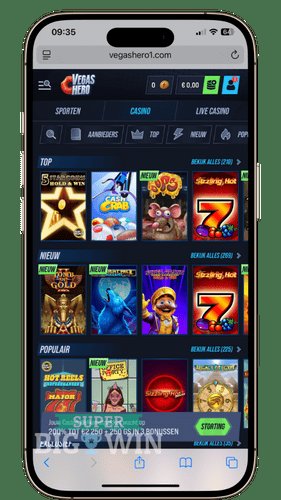
Managing online entertainment expenses is not just about cutting costs; it’s also about choosing where to spend. If you’re looking for a place that balances fun and affordability, one of the best online gaming destinations offers a wide range of titles without the high subscription fees.
Monitor Your Progress and Adjust
At the end of each quarter, I compare my actual spending to the planned budget. If I consistently overspend on gaming, I cut the cap to £25 and allocate the extra £10 to a new streaming service that offers a free trial. This iterative approach ensures that my budget stays realistic and adapts to changing interests.
Conclusion
Smart budgeting for online entertainment doesn’t require a strict spreadsheet or a financial advisor. It starts with a clear spending limit, regular tracking, and a willingness to pause or cancel subscriptions that no longer serve you. By applying these simple steps, you can keep your monthly entertainment bill under control while still enjoying the digital experiences that bring you joy.
Frequently Asked Questions
What’s a realistic monthly cap for online entertainment?
A good starting point is around £30–£35, depending on your income and entertainment habits.
How can I track my spending effectively?
Use a simple spreadsheet or budgeting app to log every subscription, in‑app purchase, and ad‑based spend.
Can I cancel unused subscriptions without hassle?
Yes—most services allow free trials and easy cancellation via the account settings page.
What if I want to enjoy new releases but stay on budget?
Plan a quarterly entertainment budget and use discount codes or bundle offers to stretch your money further.